Furniture dropshipping with Base (BaseLinker) — orders and tracking numbers automatically
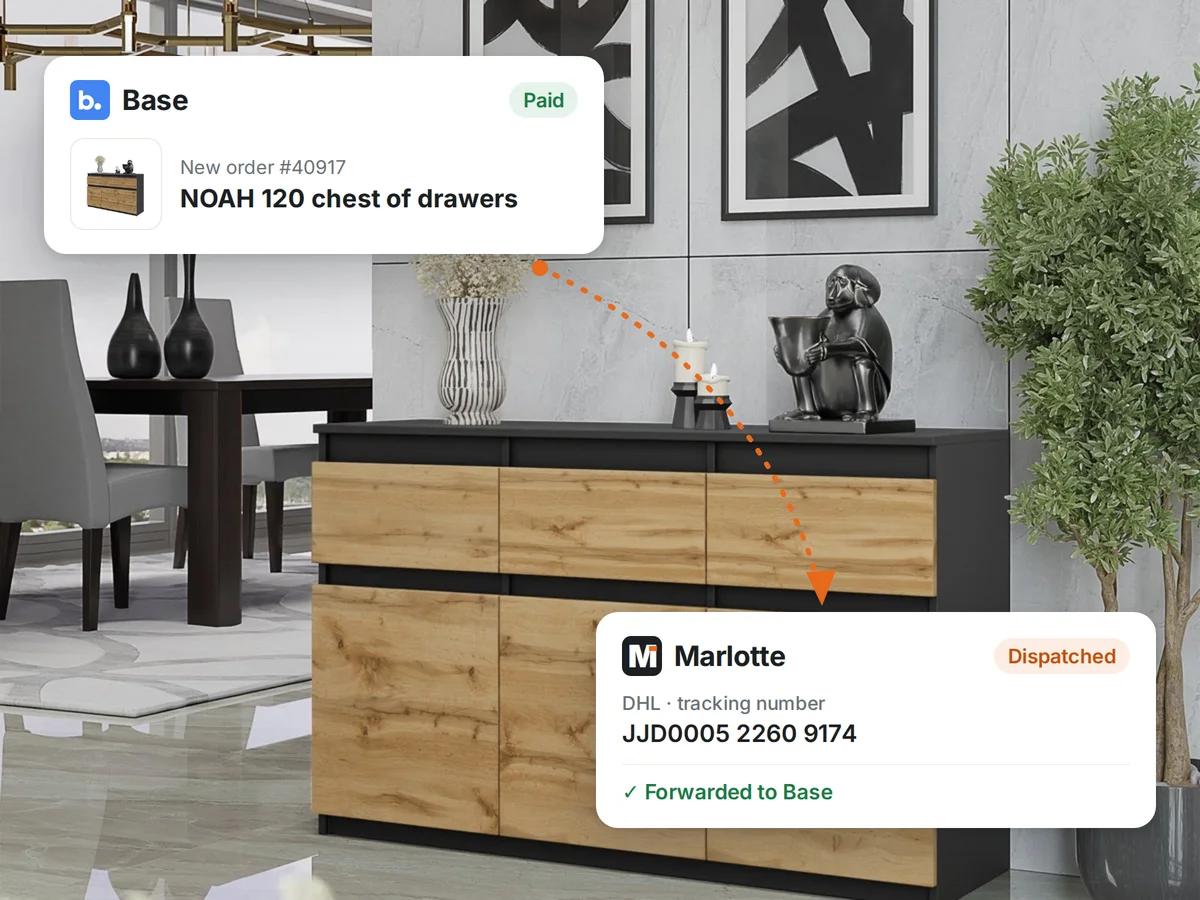
You enter your Base account’s API key on the portal and select a status. We’ll handle the orders you set to this status ourselves, and the tracking number will be updated in the order in Base.
Become a partnerYou only need to set this up once: partner portal → “Connect your shop”.
 Base (BaseLinker)
What are the benefits?
- We retrieve orders with the selected status every 5 minutes — straight from your Base to our system.
- Once an order has been accepted and dispatched, its status in Base updates automatically — to the statuses you select.
- Once the parcel has been dispatched, the tracking number is added to the order in Base as a parcel, and from there — depending on your settings in Base — it is sent to your shop or marketplace.
- It works for all channels connected to your Base — your shop and marketplaces.
What you get
- Furniture without your own warehouse. Products with descriptions in 15 languages, photos, stock levels and prices from your price list — all via a single link to a file that your shop will load.
- We dispatch the goods directly to your customer from our warehouse in Elbląg. The parcel does not contain our invoice, prices or any advertising.
- We only accept orders for our own products and only our own items. We do not process any other orders, and we always calculate the price based on your price list as provided to us.
- You can view the status of each order on the partner portal.
How to connect Base to Marlotte
- In Base, you create a status, for example, ‘To be completed — Marlotte’.
- Copy the API key: Account and more → My account → API.
- On the partner portal (“Connect your shop” → Base), paste the key, select the status from which we retrieve orders, and the statuses for ‘order accepted’ and ‘order dispatched’.
- You set the status for orders containing our products — we’ll take care of the rest.
Good to know
- We use the key solely to retrieve orders with a specific status, change their status and enter the tracking number. You can delete it from our system at any time or deactivate it in Base.
- We identify our items by their SKU (or, if there is no SKU, by their EAN).
- We do not handle cash-on-delivery shipments — such orders are not forwarded to us.
Marlotte in numbers
Frequently Asked Questions
Do you need your own Base account?
No. We connect to your Base account, and orders go straight into our system.
Do you collect all my orders?
No. Only orders with the status you have selected, and only our items. We do not record any other orders.
When does an order from my Base reach Marlotte?
Once you’ve changed their status to the one you’ve chosen, we check Base every 5 minutes.
Become a Marlotte partner
Register your business — once we’ve approved your application, you’ll gain access to the partner portal, the price list and a step-by-step guide. Already have an account? Log in to the portal and select “Connect your shop”.
Become a partnerSee also
- Dropshipping: integrations
- Dropshipping: terms and conditions for partners
- Dropshipping in JTL-Wawi
- Dropshipping furniture via Shopify
- Dropshipping furniture via WooCommerce
- Dropshipping furniture with Shopware
- Furniture dropshipping with PrestaShop
- Dropshipping furniture with Shoper
- Furniture dropshipping API