Furniture dropshipping with Picqer — orders and tracking numbers automatically
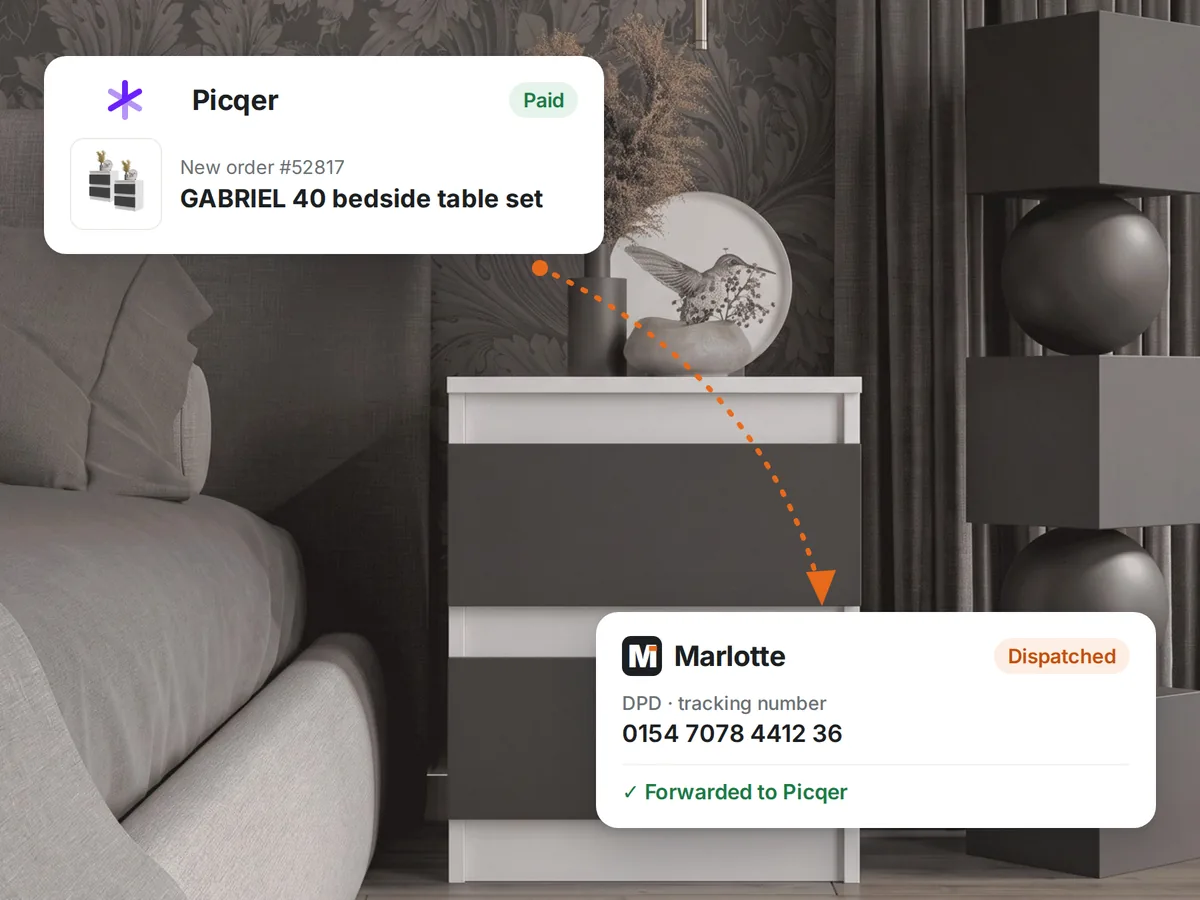
You create an API key in Picqer specifically for us and enter the address of your Picqer account and this key into the partner portal — it takes about 10 minutes, and you only need to do it once. After that, orders containing our products are automatically sent to us, and after dispatch, the tracking number is sent back to Picqer.
Become a partnerYou only need to set this up once: partner portal → “Connect your shop”.
 Picqer
What are the benefits?
- Orders in progress (processing status) containing our products are sent to us automatically every few minutes. From these orders, we take only the items that are our products. We do not record orders that do not contain our products at all.
- When the entire order consists of our products, after dispatch we record the consignment on its picklist, including the tracking number and a link to track the parcel (via your manual carrier). Picqer then closes the picklist and forwards the consignment to the shop or marketplace, depending on your settings. You do not complete or dispatch this picklist yourself.
- If the order also contains other products, we do not record the shipment (as this would close the entire order on the marketplace) — we add the tracking number as a comment in the order and display it on the partner portal. You mark the shipment as dispatched yourself once you have dispatched the rest.
- Reading data from Picqer does not alter anything in Picqer and does not take orders away from your shop or other programs. We do not release orders for fulfilment, pause them, cancel them or delete anything.
What you get
- Furniture without your own warehouse. Products with descriptions in 15 languages, photos, stock levels and prices from your price list — all via a single link to a file.
- We dispatch directly to your customer from our warehouse in Elbląg. The parcel does not contain our invoice, prices or any advertising.
- We only accept orders for our own products and only our own items. We do not process any other orders, and we always calculate the price based on your price list as provided to us.
- You can view the status of each order on the partner portal.
How to connect Picqer to Marlotte
- In Picqer, go to “Settings” › “API Keys” and create a new key specifically for us (e.g. named ‘Marlotte’). We use this key solely to read orders and the list of carriers, to record the shipment with its tracking number on the picklist containing our products, and to add a comment to the order.
- In Picqer, you add a manual carrier (without a connection to the carrier’s system — in the Picqer API documentation, this is the Manual type) for each carrier we use: DPD, DHL, GLS, UPS, FedEx, InPost. Its name must include the carrier’s name (e.g. Marlotte DPD). We record the tracking number and the tracking link using this carrier. We never use a carrier with a live connection — it would generate a label with the carrier at your expense.
- In the partner portal (“Connect your shop” → Picqer), enter the address of your Picqer account (e.g. twojafirma.picqer.com — the one you use to log in to the dashboard) and the API key from step 1. We store the key in encrypted form and do not disclose it to anyone.
- Click “Check connection”, then “Save and switch on”. During the check, we verify the key and retrieve the list of your carriers (names only) — without any customer data. If you add a manual carrier later, click “Check connection” again.
Good to know
- The product code (productcode) of our products in Picqer must be the same as the SKU in our product file — this is how we identify orders containing our products.
- Our products are not held in your warehouse, so you set them up in Picqer as products with unlimited stock (in the Picqer API: unlimited_stock; please check the name of this option in your own dashboard) — Picqer then creates a picklist for them instead of a backorder.
- We do not dispatch to parcel lockers or collection points. Orders with delivery to a Packstation, parcel locker, collection point or for collection in person will be put on hold — you can see why on the partner portal. You must dispatch such orders yourself.
- We do not handle cash-on-delivery shipments — such orders are not forwarded to us.
- We automatically accept orders from marketplaces that are sent to Picqer (e.g. bol, Amazon), just like any other orders. We only exclude orders that the marketplace itself dispatches from its own warehouse (e.g. Amazon FBA).
- If Picqer transfers shipments to bol, the “Send shipments and update status” option must be enabled in the bol connection in Picqer. Also check which bol carrier Picqer will specify for your manual carrier.
- You only need one method of submitting orders: if you are already sending us orders from Picqer in a different way (via file or email), please stop doing so once the integration is activated. The product file continues to work as before — you receive products and stock levels via this file; we do not automatically update stock levels in Picqer.
Marlotte in numbers
Frequently Asked Questions
Do I need a Picqer plugin?
No. You create an API key in Picqer specifically for us (‘Settings’ › ‘API Keys’) and enter it in the partner portal along with the address of your Picqer account. We store the key in encrypted form and do not disclose it to anyone.
Do you collect all my orders from Picqer?
No. We read orders that are being processed (status: processing) and take only the items that are our products. We do not record orders that do not contain our products at all, and reading does not change anything in Picqer. We always calculate the price based on your price list with us.
When does an order from Picqer reach Marlotte?
When it is in progress in Picqer (status: processing). We check Picqer every few minutes. We do not accept cash-on-delivery orders, and we put orders for delivery to parcel lockers and collection points on hold.
What about an order that also contains other products?
We only retrieve our own items from it. After dispatch, we do not record the consignment in Picqer, as this would close the entire order on the marketplace — we add the tracking number as a comment in the order and display it alongside our order on the partner portal. You mark the consignment as dispatched yourself once you have sent the remaining products.
Do you deliver to parcel lockers and collection points?
No. We put orders for delivery to a Packstation, parcel locker, collection point (e.g. a PostNL or DHL point) or for collection in person on hold, and display them on the partner portal with an explanation — you dispatch such orders yourself.
Become a Marlotte partner
Register your business — once we’ve approved your application, you’ll gain access to the partner portal, the price list and a step-by-step guide. Already have an account? Log in to the portal and select “Connect your shop”.
Become a partnerSee also
- Dropshipping: integrations
- Dropshipping: terms and conditions for partners
- Dropshipping in JTL-Wawi
- Dropshipping furniture via Shopify
- Dropshipping furniture via WooCommerce
- Dropshipping furniture with Shopware
- Furniture dropshipping with PrestaShop
- Furniture dropshipping with Base (BaseLinker)
- Dropshipping furniture with Shoper
- Furniture dropshipping API